How to Choose the Best Office Ergonomic Chair?
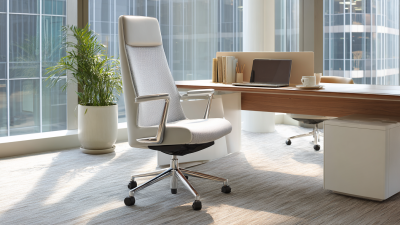
Choosing the right Office Ergonomic Chair can change how your workday feels, especially after several hours at a desk. A supportive chair should help you maintain a natural posture without forcing your body into one rigid position. Look for adjustable seat height, useful lumbar support, responsive armrests, and a stable five-point base. Your feet should rest flat on the floor, while your knees remain close to a right angle.
Comfort needs evidence, not attractive marketing. Product specifications, warranty details, weight limits, and recognized safety testing can reveal more than polished photographs. A credible comparison should explain who tested each chair, how long it was used, and which body sizes it suits. It should also separate verified features from personal impressions. A breathable mesh back may feel excellent in a warm office, but it can feel too firm for another user. Small details matter.
Try the chair for at least fifteen minutes if possible. Notice pressure behind your knees. Check whether your shoulders relax when typing. Test every adjustment while wearing normal work clothes. No checklist is perfect. I might overlook a preference that matters to you, and your desk height may change the result. That is why this guide focuses on practical fit, durable construction, and honest limitations. The best choice is not always the most expensive model. It is the chair that supports your daily tasks, matches your workspace, and remains comfortable after the first impressive sitting.
Define the Core Features of an Ergonomic Office Chair
Choosing the best ergonomic office chair starts with its core features, not its appearance. The U.S. Bureau of Labor Statistics recorded 946,652 musculoskeletal disorder cases involving days away from work in 2023. Many office workers report back, neck, or shoulder discomfort. A suitable chair cannot solve every problem, but it can reduce unnecessary strain.
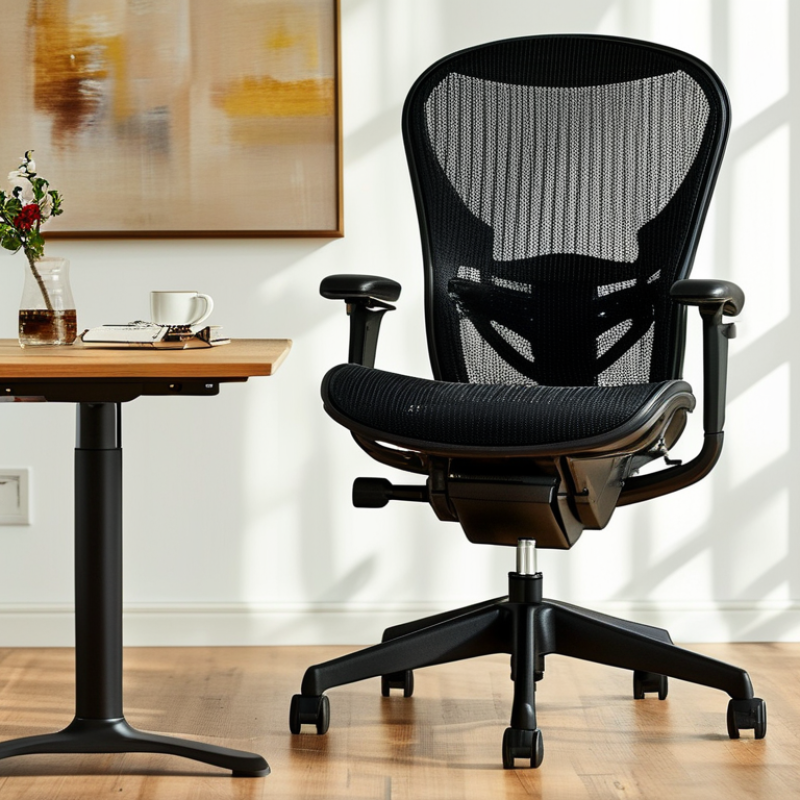
Look for adjustable seat height, seat depth, and backrest angle. Your feet should rest flat on the floor, with knees close to a right angle. The lumbar support should meet your lower back, not press sharply against it. Adjustable armrests can keep shoulders relaxed while typing. OSHA’s Computer Workstations eTool also recommends a stable base, supportive backrest, and neutral wrist and elbow positions. Breathable fabric matters during long sessions. I once chose thick padding over adjustability and regretted it after several hours.
Tips: Sit fully back before adjusting the chair. Leave two or three fingers of space behind your knees. Test the chair for at least ten minutes, not just one minute. Check whether the controls are easy to reach. A 2021 review in Applied Ergonomics found that ergonomic interventions can improve comfort, although results vary between users. That limitation matters. Even a well-designed chair needs regular movement. Stand, stretch, and change posture throughout the day.
Assess Your Body Measurements and Seating Requirements
Choosing the best office ergonomic chair starts with your body, not a product label.
Measure your height, hip width, thigh length, and lower-leg length while wearing normal work clothes. Sit against a wall and ask someone to measure from the floor to the back of your knee. This estimate helps set seat height, so your feet rest flat and your knees remain near a right angle. Small errors matter.
Check seat depth carefully.
With your back supported, leave two to three fingers between the seat edge and your knee crease. The seat should support most of your thighs without pressing behind your knees. Measure your hip width, then choose a seat with enough clearance for natural movement. A narrow seat restricts posture. An oversized one may weaken support. Try several sitting positions, because real work rarely looks perfectly still.
Your desk changes the answer.
Set armrests so your shoulders stay relaxed and your elbows sit close to your body. The lumbar area should meet your lower back without forcing an exaggerated curve. Recline slightly during long tasks, and change positions every 30 to 45 minutes.
I once measured seat depth incorrectly and blamed the chair for numb legs. Rechecking exposed my mistake. Comfort alone is not proof of good support. If pain persists, seek an assessment from a qualified occupational health professional.
Compare Adjustability, Support, and Movement Options
Choosing an ergonomic office chair means comparing adjustability, support, and movement options. Do not judge comfort from padding alone. Set the seat height so your feet rest flat, knees stay near 90 degrees, and thighs feel supported without pressure behind them. OSHA recommends adjustable seat height and backrest features for computer workstations (OSHA, Computer Workstations eTool).
Back support should follow your spine without forcing it rigidly upright. A lumbar pad should meet the natural inward curve of your lower back. If it pushes aggressively, you may remove support rather than gain it. The World Health Organization reports that 1.71 billion people live with musculoskeletal conditions worldwide (WHO, 2022). That figure does not prove a chair prevents pain, but it shows why fit deserves careful attention.
Movement options matter during long work sessions. Look for a backrest that reclines smoothly, adjustable armrests, and a seat pan that allows small posture changes. Armrests should let your shoulders relax while your elbows remain close to your body. Try shifting between typing, reading, and phone calls. Small movements count. A 2023 systematic review in Applied Ergonomics found that dynamic sitting and sit-stand strategies can reduce sedentary time, though results vary by worker and setup. I still question chairs marketed as “fully ergonomic.” Too many controls can confuse users. Test each adjustment with your actual desk, keyboard, and daily routine before deciding.
How to Choose the Best Office Ergonomic Chair? - Compare Adjustability, Support, and Movement Options
| Chair Type |
Seat-Height Range |
Seat-Depth Adjustment |
Armrest Adjustment |
Lumbar Support |
Backrest Movement |
Seat Movement |
Best Use |
| Basic Task Chair |
16–20 in
40.6–50.8 cm |
Usually fixed |
Fixed or height-adjustable |
Built-in contour; limited adjustment |
Locking recline or basic tilt |
Minimal or none |
Short-duration desk work |
| Standard Ergonomic Chair |
16–21 in
40.6–53.3 cm |
Commonly adjustable by 1.5–3 in |
Height and width; some include depth |
Height-adjustable or adjustable tension |
Synchro-tilt with 2–4 locking positions |
Limited forward tilt or flexible edge |
General full-day office work |
| High-Adjustability Chair |
15.5–22 in
39.4–55.9 cm |
Usually adjustable by 2–4 in |
Height, width, depth, and pivot angle |
Height, depth, and firmness adjustments |
Responsive recline with adjustable resistance |
Forward tilt and flexible seat-pan options |
Long hours and users needing precise fit |
| Mesh-Back Ergonomic Chair |
16–21 in
40.6–53.3 cm |
Fixed or moderately adjustable |
Height-adjustable; optional 3D arms |
Suspended lumbar zone or adjustable pad |
Flexible mesh with recline tension |
Usually fixed; some offer forward tilt |
Warm environments and active sitting |
| Drafting-Height Ergonomic Chair |
21–31 in
53.3–78.7 cm |
Commonly adjustable |
Height-adjustable; arms may be removable |
Adjustable lumbar support on better-equipped models |
Recline and tilt-lock functions vary |
Foot ring supports elevated working posture |
High counters, drafting tables, and laboratory benches |
Selection guide: Choose a chair with a seat height that lets your feet rest flat on the floor, a seat depth that leaves approximately 2–3 fingers of space behind the knees, adjustable lumbar support, and armrests that allow relaxed shoulders. A recline mechanism with adjustable resistance can encourage posture changes during prolonged sitting.
Evaluate Materials, Durability, and Workplace Compatibility
How to Choose the Best Office Ergonomic Chair?
Evaluate Materials, Durability, and Workplace Compatibility
Material choice should match the hours and conditions of use. Breathable mesh can reduce heat during long summer workdays, especially in rooms without strong ventilation. However, low-quality mesh may stretch or lose support quickly. Fabric feels warmer and softer, but it can absorb coffee spills and dust. Dense foam often supports the hips well, although very firm foam may feel uncomfortable after several hours. Check the frame, base, and adjustment parts carefully. Metal components usually tolerate repeated movement better than thin plastic. Still, construction quality matters more than material alone.
Durability requires practical testing, not attractive photographs. Sit down, recline, and adjust the seat repeatedly before buying. The mechanism should move smoothly without clicking, wobbling, or sudden drops. Check the documented weight capacity and warranty conditions. Casters should roll safely on the actual workplace floor. Hard wheels may scratch soft flooring, while soft wheels can drag on thick carpet. I once chose a chair by appearance and ignored its unstable armrests. That decision became irritating within one month.
Workplace compatibility includes more than fitting beneath a desk. Measure the seat height, armrest clearance, and available floor space. A chair should support a neutral posture without forcing the shoulders upward. Shared offices may need easy-clean surfaces and quiet adjustments. Home workers should consider narrow rooms, pets, and uneven flooring. A chair can be ergonomically sound yet unsuitable for a crowded workstation. Test it with your real desk, keyboard, and monitor position. My own judgment is still imperfect, so I reassess comfort after several full workdays.
How to Choose the Best Office Ergonomic Chair?
Compare common chair materials across comfort, durability, and workplace compatibility. Scores use a practical 0–100 evaluation model based on breathability, cleaning requirements, resistance to daily use, and suitability for shared office environments.
Mesh generally performs well in warm offices and shared workspaces, fabric or molded foam offers balanced comfort, and synthetic leather is easier to wipe clean but may retain more heat. Actual performance varies with construction quality and maintenance.
Test the Chair and Make an Informed Purchase Decision
Choosing an ergonomic office chair should begin with your body, not its appearance.
When I test a chair, I sit as I would during a normal workday. I place both feet flat on the floor and check whether my knees stay near a right angle. The seat should support my thighs without pressing behind my knees. My lower back also needs steady contact, not a hard lump. A polished showroom can hide discomfort. It happened to me.
I test every adjustment before considering the price.
I raise and lower the seat, change the backrest angle, and move the armrests. The armrests should let my shoulders relax while my elbows remain close to my body. I type, read, reach for a notebook, and stand up repeatedly. I stay seated for at least fifteen minutes. A five-minute test is often misleading. A soft cushion may feel pleasant at first, yet create pressure later. A firm seat may feel unfamiliar but provide better support.
Before purchasing, I record the chair’s measurements and compare them with my desk height.
I also check the return policy, warranty terms, weight capacity, and availability of replacement parts. Reliable sellers provide clear specifications instead of vague comfort claims. I once chose a chair because it looked supportive, then discovered its seat was too deep. That mistake changed my testing habits. If possible, I test the chair for several work sessions, because comfort can change after an hour.