How to Choose the Best Office Work Table in 2026?
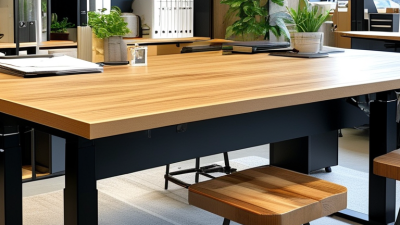
Choosing an Office Work Table in 2026 is less about chasing a sleek finish than matching the surface to real work. Your elbows need room, your monitor needs a stable position, and your chair must slide beneath the frame. Ergonomist Alan Hedge is often credited with the reminder, “The best posture is always your next posture.” That idea matters when comparing fixed-height desks with adjustable models. A table that lets you change position may suit long workdays better than one chosen for appearance alone.
Start with the tasks you do most. A laptop and notebook need less depth than two monitors, a keyboard, and paper files. Measure the available floor space, then check the table’s height, leg clearance, edge shape, and load capacity. Small details show up daily: a drawer that catches your knees, a glossy top that reflects a window, or a crossbar that blocks your feet. Test the fit with your actual chair if possible. Product photos cannot tell you everything.
Materials and features deserve the same practical scrutiny. Solid wood can feel warm and sturdy, while laminate may be easier to clean and kinder to a tight budget. Check the frame joints, warranty terms, and assembly requirements before buying. Cable openings and modest storage can reduce clutter, but extra features are not automatically useful. There is no perfect table for every office. The right choice supports your posture, equipment, space, and routine—and leaves room to reassess when your work changes.
Identify Work Tasks, Users, and Workspace Requirements
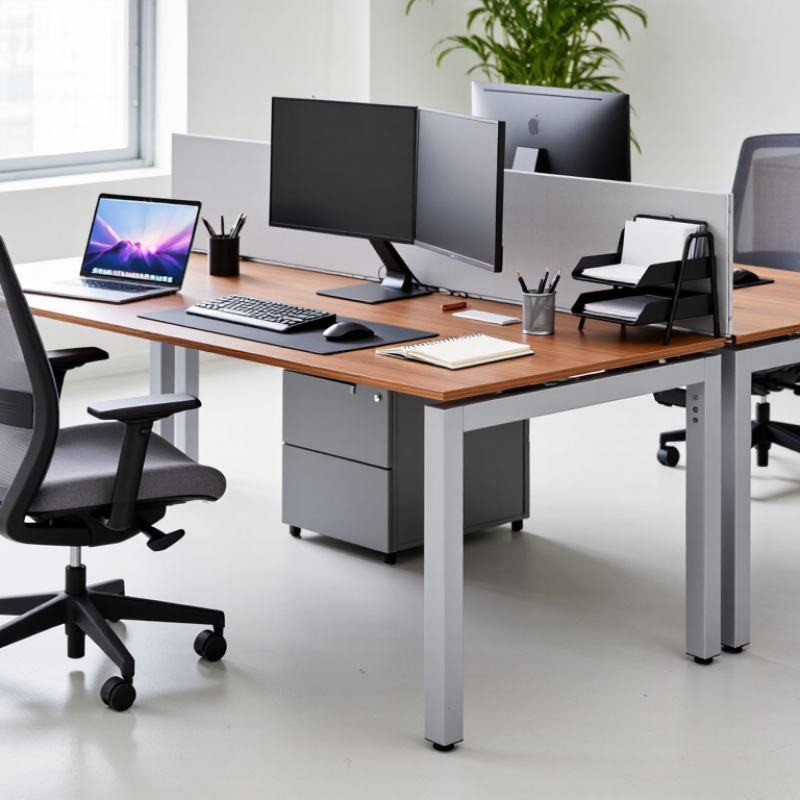
Before choosing an office work table, list the tasks it must support. Someone reviewing drawings needs more clear surface area than someone using only a laptop. Measure the widest items, including notebooks, monitors, and equipment used every day. Leave room for hands and cables, too. Small details matter.
Think about who will use the table and how often. A shared workstation may need adjustable height, durable edges, and space for a second user. For one person, check that the tabletop allows comfortable screen distance and elbow room. Sit down and test it. If possible, mark the proposed dimensions on the floor with tape. A neat floor plan can still mislead.
Measure the workspace itself, including door swings, walkways, and nearby storage. Note window glare and where power outlets sit; a table that fits on paper may block a drawer in practice. Consider wheelchair access or other mobility needs before settling on a shape. Be honest about what is uncertain: equipment may change, and people rarely keep every cable organized. Leave some spare room, but avoid buying surface area that the room cannot comfortably support.
Compare Table Shapes, Materials, and Storage Options
How to Choose the Best Office Work Table in 2026? Compare Table Shapes, Materials, and Storage Options
A rectangular table fits narrow rooms and keeps monitors aligned along one wall. An L-shaped top gives separate space for a laptop and paperwork, but can crowd a doorway. Round tables soften shared areas; they are less efficient when every inch matters. Measure chair pullback and walking routes before choosing. Small rooms need restraint. Gensler’s 2024 Global Workplace Survey collected responses from 16,000 workers across 15 countries. Its broad sample is useful context, not a formula for selecting one table size.
Material affects daily upkeep and long-term impact. Laminate wipes clean after coffee spills and usually costs less, while solid wood can be refinished but needs care against scratches and moisture. Metal frames feel sturdy, though a hollow frame may amplify keyboard noise. UNEP’s 2024 Global Status Report states that buildings and construction account for 34% of global carbon emissions. That figure covers the whole sector, not office tables; still, it supports considering repairability, recycled content, and a long service life.
Storage should match actual habits, not imagined ones. A shallow drawer keeps pens and chargers close; a file pedestal takes floor space and can block knees. Open shelves offer quick access but collect dust and visual clutter. Check that drawers clear the chair arms and leave room for legs. I often prefer fewer compartments, though that is not ideal for teams handling paper records. Test the table with your usual chair, monitor, and cables before ordering.
Assess Ergonomics, Adjustability, and Technology Features
In 2026, a good office work table should fit your working posture, not just your room. Sit with your feet flat and shoulders relaxed, then check whether your elbows rest near a right angle while typing. The tabletop should leave space for a keyboard, mouse, and notes without pushing your monitor too close. Small details matter. Rounded edges can feel more comfortable against your forearms during long sessions.
Adjustability helps when one table serves different tasks or people. A sit-stand model should move smoothly and stay stable at both its lowest and highest settings. If possible, test it with a monitor and laptop on top; an empty table may seem steadier than a loaded one. Save height presets only if several people will use them. A feature you rarely touch may not justify extra cost.
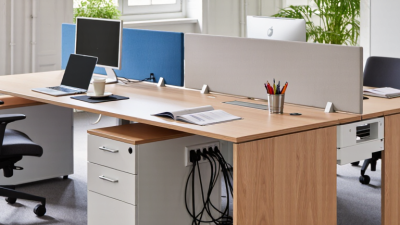
Technology should solve a specific desk problem. Check that power outlets or USB ports are easy to reach, and look for cable openings that keep cords from snagging your knees. A built-in charging pad is convenient, but only if your devices sit within reach and do not crowd your work area. More features are not always better. Measure your equipment first, then decide which conveniences you will actually use.
Check Durability, Safety, Sustainability, and Warranty
How to Choose the Best Office Work Table in 2026?
Check Durability, Safety, Sustainability, and Warranty
A reliable office table should handle daily typing, leaning, and occasional equipment moves without wobbling. Check the frame joints, edge finish, and leg adjusters, not just the tabletop’s appearance. Press gently on each corner and look for shifting or creaking. Small details matter. Rounded edges can reduce bumps in tight spaces, while stable feet help prevent rocking on uneven floors. No quick check catches every weak joint, but it can reveal obvious problems.
Tips: Ask what the tabletop and frame are made from, and whether replacement parts are available. Look for clear care instructions and specific information about recycled or responsibly sourced materials. Vague claims deserve questions. If possible, inspect a sample under ordinary office lighting; surface scratches and fingerprints may show more clearly there.
Read the warranty before buying. Check its length, what parts it covers, and whether normal wear or assembly issues are excluded. A long warranty is useful, but it does not guarantee a durable table. Compare its terms with the table’s intended workload. Sustainability also depends on how long the table stays useful, so repairable parts and a replaceable top can matter. I would not judge a table by one specification alone; the trade-offs are easy to miss. A lighter design may be easier to move, yet feel less steady.
How to Choose the Best Office Work Table in 2026
Check durability, safety, sustainability, and warranty—starting with accessible dimensions.
Dimension benchmarks: The U.S. ADA Standards specify a 28–34 in accessible work-surface height and a 30 × 48 in minimum clear-floor space; the minimum knee-clearance height is 27 in. Apply these requirements where relevant. Also verify the table’s load capacity and stability, inspect safety certifications and edge finishes, ask for material and emissions documentation, and compare warranty coverage and exclusions.
Source: 2010 ADA Standards for Accessible Design, Sections 305, 306, and 902. Dimensions shown in inches.