7 Tips for Choosing Seating For Office Spaces

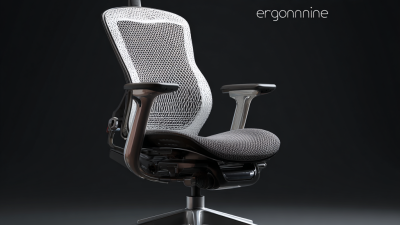
Choosing the right Seating For Office environments affects comfort, focus, movement, and daily productivity. A chair may look impressive in a showroom, yet feel unsuitable after eight hours at a desk. Practical selection requires more than matching colors or following a fashionable layout. It requires observing how people actually work.

These seven tips examine seat height, lumbar support, materials, mobility, spacing, durability, and user needs. An adjustable chair should let feet rest flat, shoulders remain relaxed, and knees stay near a comfortable angle. Desks, screens, meeting tables, and walkways must work together. A beautifully designed chair becomes a problem when it blocks circulation or crowds a shared workspace.

Small details matter. A receptionist may need firm support for frequent conversations. A designer may need flexible movement and adjustable armrests. A conference room may require compact chairs that store easily without damaging the floor. Experienced workplace planners often test seating with real employees before making a large purchase. That step can reveal complaints that product descriptions never mention.

Appearance is not enough.

Reliable decisions also consider cleaning, repair access, warranty terms, and long-term replacement costs. Workplace guidance can support ergonomic planning, but no single recommendation suits every team. Even careful layouts may overlook shorter users, taller users, or employees with changing physical needs. That is worth admitting. The strongest approach combines professional advice, direct testing, and honest feedback from the people who use the space daily.
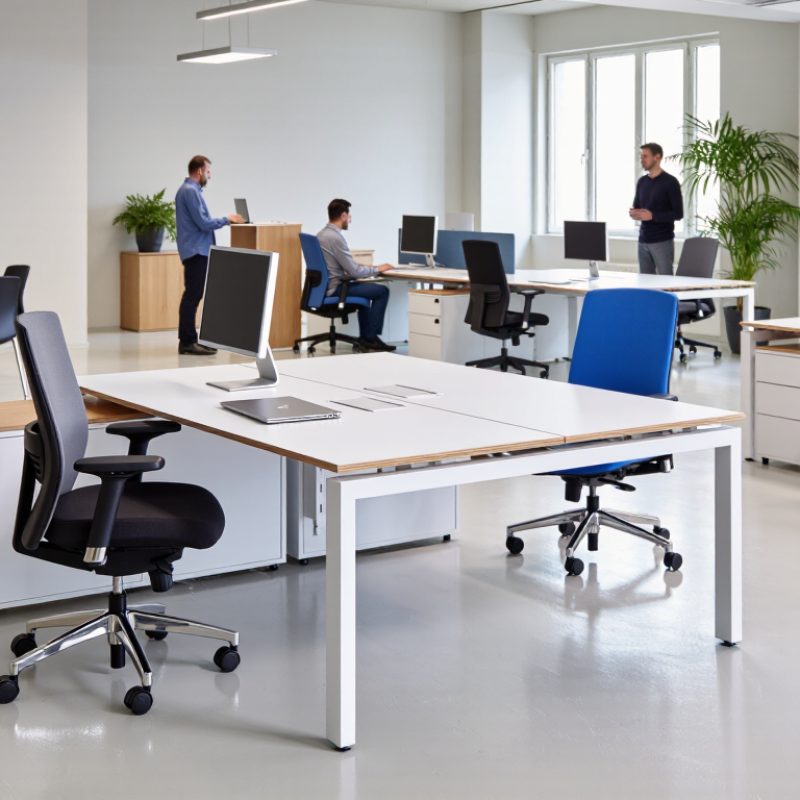
7 Tips for Choosing Seating For Office Spaces

Assess Office Needs and User Requirements

Choosing office seating starts with observing how people actually work. A quiet survey rarely reveals the whole picture. Walk through the office during busy hours. Note who sits for long periods, who moves between rooms, and who needs quick access to shared equipment. Measure desk heights, aisle widths, and available floor space before selecting chairs.

Ask users about discomfort, posture, clothing, and daily routines. A designer may prefer firm support, while a receptionist may need easy movement and frequent standing. Adjustable seat height, back tension, and arm support can suit different body types. However, too many controls may confuse occasional users. Keep instructions visible and simple. Include staff with mobility needs, temporary injuries, or different working heights.

Test seating in the real environment for several days. Check whether casters move safely on the existing floor. Watch for pressure behind the knees, unstable armrests, and blocked walkways. Review cleaning requirements, repair access, and expected daily use with facilities staff. I once focused too heavily on comfort during a short trial. Later, users reported that the seats occupied too much space and slowed collaboration. That mistake changed my process. Comfort matters, but it must fit the room, workflow, and maintenance plan. Record feedback from different shifts, not only the loudest participants. Some requirements may conflict. Document those trade-offs before approving a final layout.

7 Tips for Choosing Seating for Office Spaces: Assess Office Needs and User Requirements

Use these common ergonomic reference dimensions when assessing office seating. Adjustable seat height should accommodate approximately 16–21 inches, while seat width and depth should support a broad range of users. Treat these values as screening benchmarks and validate them against applicable workplace standards and the needs of your employees.

Compare Seating Types for Different Work Activities

7 Tips for Choosing Seating For Office Spaces

Compare seating types for different work activities before buying in quantity. A task chair suits focused desk work, especially when employees type for several hours. Look for adjustable seat height, lumbar support, and stable armrests. Tip 1: Match adjustability to working time. Tip 2: Test the chair with real desks, not showroom tables. A chair that feels comfortable for five minutes may create pressure after two hours.

Use supportive, movable seating for meetings and collaborative work. Tip 3: Choose chairs that allow easy turning and repositioning. Tip 4: Keep meeting seats light enough to move, but stable enough for safe use. For quiet reading, reviewing documents, or short calls, a compact upright chair can reduce visual clutter. Tip 5: Provide softer lounge seating only where posture and screen distance remain reasonable. Deep cushions look inviting. They can also encourage awkward neck angles. I have seen teams overlook this detail.

For reception areas and waiting zones, prioritize durability, cleanable surfaces, and clear walking space. Tip 6: Select seat heights that suit different users, including shorter visitors. Tip 7: Check edges, casters, and floor contact points during a practical trial. Different bodies need different support. A single seating style rarely serves every activity well. Measure desk height, movement patterns, and break habits before final selection. Leave room to revise the plan.

7 Tips for Choosing Seating For Office Spaces - Compare Seating Types for Different Work Activities

Use this comparison to match seating features, dimensions, and performance requirements with common office activities.

Dimensions are practical planning ranges; final selection should account for user stature, accessibility, applicable safety requirements, and the specific product.
Tip Work Activity Suitable Seating Type Key Selection Criteria Useful Planning Dimensions Why It Works
1. Prioritize adjustability for extended computer work Focused desk work, video calls, and daily computer use Adjustable ergonomic task chair Adjustable seat height and depth, lumbar support, stable five-point base, backrest recline, and armrests that can move out of the way Seat height commonly about 16–21 in (41–53 cm); seat depth commonly about 15–18 in (38–46 cm) Adjustability helps users keep feet supported, shoulders relaxed, and the back supported while changing posture during long work periods.
2. Match seat height to the work surface Reception, front-desk work, laboratory-height tasks, or counter-based collaboration Drafting chair or adjustable-height stool with foot support Foot ring or footrest, back support where tasks are prolonged, easy-clean surface, and a height range compatible with the counter Counter seating often uses a seat height of about 24–27 in (61–69 cm); bar-height seating is commonly about 28–33 in (71–84 cm) Proper height reduces excessive shoulder elevation and helps users maintain a workable relationship between the seat, foot support, and surface.
3. Choose mobility for collaborative work Team meetings, workshops, training, and rooms that change layout frequently Mobile task chair or nesting chair with casters Lockable or controlled casters, manageable weight, durable frame, optional tablet surface, and nesting or stacking capability Allow approximately 30–36 in (76–91 cm) between chair rows or furniture edges for comfortable movement, depending on layout Mobile seating supports quick reconfiguration without requiring users to lift heavy furniture.
4. Use comfort-focused seating for longer meetings Conference meetings, interviews, client discussions, and project reviews lasting more than 30 minutes Padded conference chair with a supportive back Contoured seat, breathable upholstery, supportive backrest, adequate seat width, and armrests that fit beneath the table A table clearance of roughly 27–30 in (69–76 cm) from floor to underside is common; verify armrest clearance before purchase More cushioning and back support can improve perceived comfort when users remain seated with limited movement.
5. Select easy-clean materials for high-turnover areas Waiting areas, reception zones, shared touchdown spaces, and visitor seating Guest chair, sled-base chair, or modular lounge chair Nonporous or cleanable upholstery, durable frame, rounded edges, replaceable components, and stable floor contact Guest seating commonly has a seat height of about 17–19 in (43–48 cm); maintain clear circulation paths around seating groups Durable, maintainable surfaces support frequent use and simplify routine cleaning without sacrificing basic comfort.
6. Support short-duration, posture-changing work Quick calls, informal conversations, reading, breaks, and touchdown work Lounge chair, sit-stand perch, or soft seating with an upright option Stable support, appropriate seat angle, easy ingress and egress, wipeable fabric, and a nearby work surface when needed Lounge seat heights commonly range from about 16–19 in (41–48 cm); perch heights vary with the supporting surface Different seat postures encourage movement and provide alternatives to a conventional desk chair during brief activities.
7. Include inclusive and accessible options Shared workspaces used by people with different body sizes, mobility needs, or assistance devices Mixed seating collection with armless, arm-supported, high-back, and accessible options Clear transfer space, stable arms where useful, adequate seat width and depth, strong contrast where appropriate, and unobstructed approach routes Provide a clear accessible route and turning space according to local accessibility requirements; avoid placing fixed legs where transfers occur A varied seating range accommodates more users and reduces the risk that one fixed chair design excludes people from shared spaces.

Evaluate Ergonomics, Comfort, and Accessibility

Office seating should support real work, not merely look polished. Evaluate seat height, depth, lumbar support, and armrest position before selecting a chair. A user’s feet should rest flat, with knees near hip level. The backrest should support an upright posture without forcing the shoulders forward. Comfort matters during a full workday, not just during a five-minute showroom test.

Tip: Test chairs with a desk.

I once chose a chair that felt comfortable at first but caused pressure behind my knees after several hours. That mistake changed my evaluation process. I now test seat edges, padding, recline tension, and adjustment controls with different users. A useful chair should accommodate movement, body-size differences, and changing tasks. Still, no chair can correct every poor workstation setup. Desk height and monitor position matter too.

Tip: Check accessibility around the seat.

Leave clear pathways for mobility devices and avoid bases or cables that create trip risks. Armrests should not block transfers, and controls should be easy to reach and operate. Consider users with limited strength, balance, or flexibility. Adjustable options often improve inclusion, but too many complicated controls can confuse people. Simple instructions help. Ask employees directly about discomfort, because assumptions are unreliable. Record feedback after several weeks, not only on installation day. A small adjustment may prevent recurring strain and improve daily concentration.

Plan Seating Layouts for Space and Collaboration

7 Tips for Choosing Seating For Office Spaces

Plan Seating Layouts for Space and Collaboration

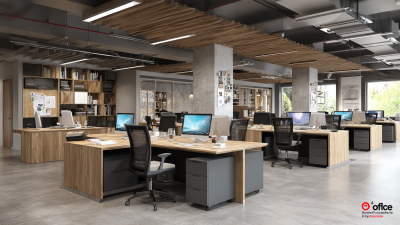
Good office seating begins with the work, not the furniture catalogue. Map quiet tasks, team discussions, private calls, and visitor movement. Measure each zone, including door swings, walkways, and clearance around desks. Keep primary paths wide enough for comfortable passing and accessible movement. A useful plan separates noisy collaboration from focused work without building unnecessary barriers. Leave some spare capacity. Teams change faster than floor plans.

Place shared tables near project areas, but keep them away from concentration zones. Use seats that can be rearranged without tools. Provide individual desks, small meeting tables, and supportive lounge seating. Check sightlines from seated positions; bright screens and busy corridors can create fatigue. Add acoustic treatment where conversations carry. Do not rely on plants alone. They look helpful, but rarely solve serious noise problems. Include clear routes to exits and accessible seats at practical locations.

Test the layout with real users before final installation. Mark desk footprints with tape, then walk the route with a laptop, bag, and mobility aid. Ask employees where they would pause, collaborate, or retreat. Their feedback may challenge the designer’s assumptions. Mine often does. Review occupancy patterns after several weeks and adjust underused areas. A beautiful arrangement can still fail if people avoid it.

Review Quality, Budget, Maintenance, and Sustainability

7 Tips for Choosing Seating for Office Spaces

Review Quality, Budget, Maintenance, and Sustainability

Tip 1: Test construction before comparing prices.

In office projects I have reviewed, stable frames and firm joints reduced early replacements. Sit in each chair for several minutes. Check movement, stitching, casters, and adjustment controls. A polished appearance can hide weak materials.

Tip 2: Build a realistic budget.

Include delivery, assembly, repairs, cleaning, and future replacement costs. The cheapest chair may become expensive after repeated failures. I once underestimated maintenance needs, and the workplace paid for that mistake later. Ask suppliers for clear warranty terms and service procedures.

Tip 3: Choose seating that workers can maintain easily.

Removable covers, accessible mechanisms, and standard replacement parts simplify repairs. Create a simple inspection schedule for loose screws, damaged upholstery, and unstable bases. Small problems grow quickly.

Tip 4: Investigate sustainability claims carefully.

Look for durable materials, repairable components, recycled content, and transparent production information. Certifications can help, but they should not replace practical questions.

Can the chair be repaired? Can its parts be separated responsibly? A product described as “green” is not automatically sustainable.

Tip 5: Match seating to daily use.

Reception areas, meeting rooms, and task desks have different demands. Adjustable lumbar support matters during long computer sessions. Still, comfort varies between users. Collect feedback from employees before making a large purchase. Their comments may challenge your original plan.